All add-ons Animation & Rigging
Animation Layers
by Tal Hershko
Turns Blender's NLA editor into a familiar animation-layers workflow you can control from the viewport.
Not tested hands-on. Based on the creator’s documentation, demo videos, changelog and buyer feedback.

Cover image: Tal Hershko, from the original product page.
Links to Superhive on this page are affiliate links. If you buy through them I earn a commission, at no extra cost to you.
What it does
Blender can layer animation through the NLA editor, but the workflow is awkward. Animation Layers wraps it in a standard layer system like you find in other animation software: create, select and edit layers from a panel and always see the final combined result.
Key features
- Add and remove layers quickly, and edit any layer while seeing the full result.
- Influence, mute, solo and blending modes for each layer.
- Animated influence with options to select, hide, mute and lock influence keys, per layer or globally.
- Merge layers or bake into a new layer, with a smart bake that keeps keyframe counts down.
- Layer hierarchies: parent layers under others to organise adjustment layers for different clips.
- Auto-updater and a Discord for support.
Things to check before buying
Because it builds on the NLA, it works best if you have a basic idea of how actions and strips behave. It is especially useful for cleaning up motion capture.
Strengths
- Standard layer workflow with influence, mute and solo
- Always shows the combined result while editing a layer
- Merge or smart-bake layers when finished
Worth knowing
- Built on the NLA, so it inherits some of its limits
- Advanced features take time to discover
Who it's for
Animators who tweak mocap or layer adjustments on top of base animation and find the NLA editor clumsy.
More videos from the creator
From the product page


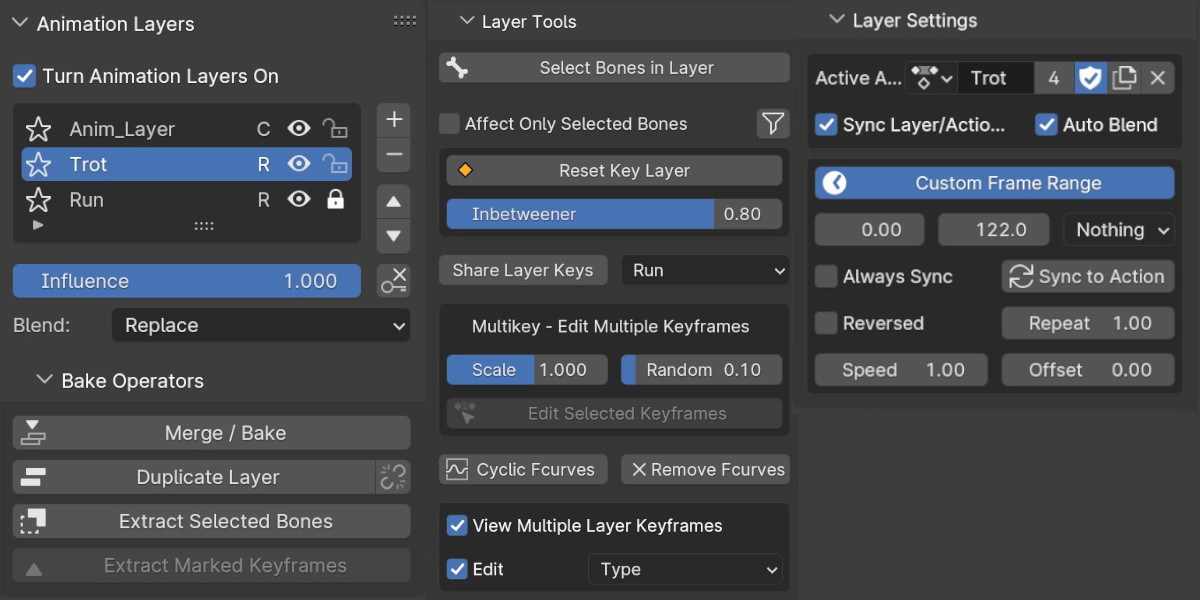
Images by Tal Hershko, shown from the Superhive product page.
Animation Layers
Check the current price, version support and changelog on the creator's page.
See price on SuperhiveAffiliate link. How this works