RizomUV Bridge (Windows & macOS)
by Matt Ashpole
Sends meshes and UVs between Blender and RizomUV with one click, with support for multiple UV maps and seam options.
Not tested hands-on. Based on the creator’s documentation, demo videos, changelog and buyer feedback.

Cover image: Matt Ashpole, from the original product page.
Links to Superhive on this page are affiliate links. If you buy through them I earn a commission, at no extra cost to you.
What it does
RizomUV Bridge adds a panel in Blender for sending objects to RizomUV and bringing the finished UVs back, without manual exporting and importing.
Key features
- One-click transfer to and from RizomUV.
- Multiple UV maps supported.
- Quality-of-life options: unwrap using Blender seams, mark UV island borders as seams or sharp edges, and more.
- Windows and macOS support.
Things to check before buying
You need RizomUV itself, which is sold separately. The bridge requires Blender 4.2 or newer and RizomUV 2022.1.35 or newer; the documentation has a compatibility table.
Strengths
- One-click transfer both ways
- Multiple UV maps supported
- Windows and macOS
Worth knowing
- Requires a separate RizomUV licence
- Needs Blender 4.2+ and RizomUV 2022.1.35+
Who it's for
Artists who use RizomUV for unwrapping and want a smooth round trip with Blender.
From the product page
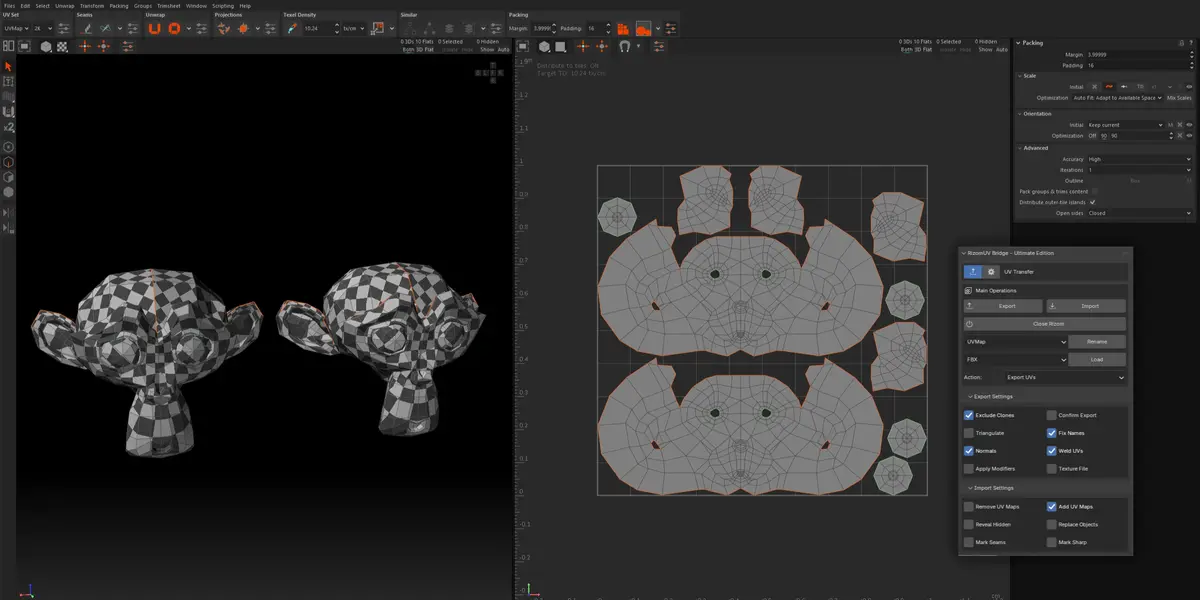
Images by Matt Ashpole, shown from the Superhive product page.
RizomUV Bridge (Windows & macOS)
Check the current price, version support and changelog on the creator's page.
See price on SuperhiveAffiliate link. How this works